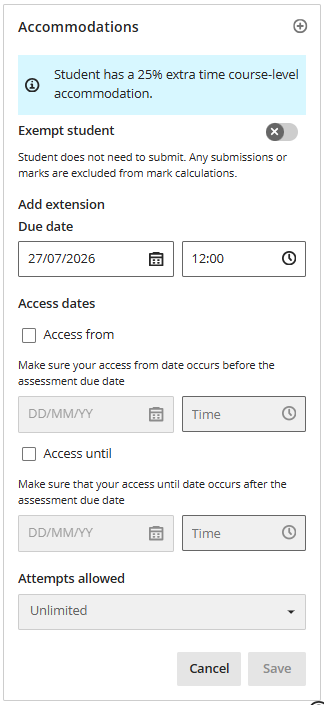
Accommodations
Summary
Set accommodations in a site to apply SSP extra time or deadline extensions etc.
Course-level accommodations
These are general accommodations that apply across the site.
Time limit
Tip
Time limit accommodations must be set for each student and in each site. There is currently no automatic method to set accommodations in bulk.
Once set, the extra time is automatically applied to all timed assessments on the site.
The time limit accommodation extends the time allowed for timed assessments. For example, in a Test with 60 minute time limit, a 25% extension has 75 minutes and a 50% extension has 90 minutes. Students see their own personal time limit.
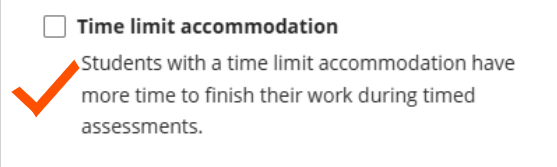
Time limit accommodations can be applied and updated while a student has in-progress Test attempts. The time limit will update immediately, but the student may need to refresh the page to display this correctly.
There are multiple ways to access the Accommodations panel:
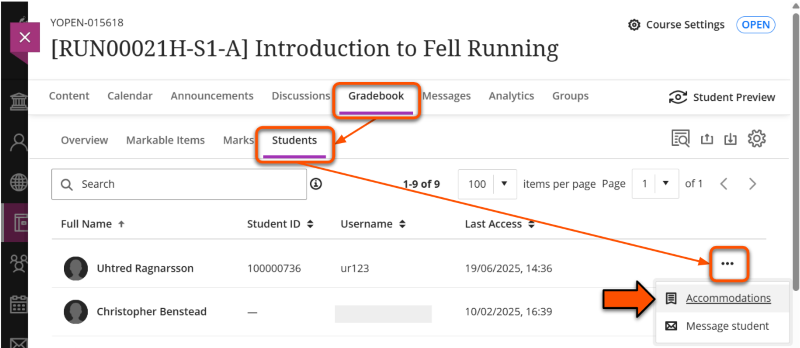
- Via the Gradebook: Click Gradebook. The Grid View is the default view, but can be selected specifically using the Grid View icon (small squares in a 2x2 block).
Click the relevant student's name to open the Student overview panel and click Accommodations in the menu bar (behind three dots icon on small screens).
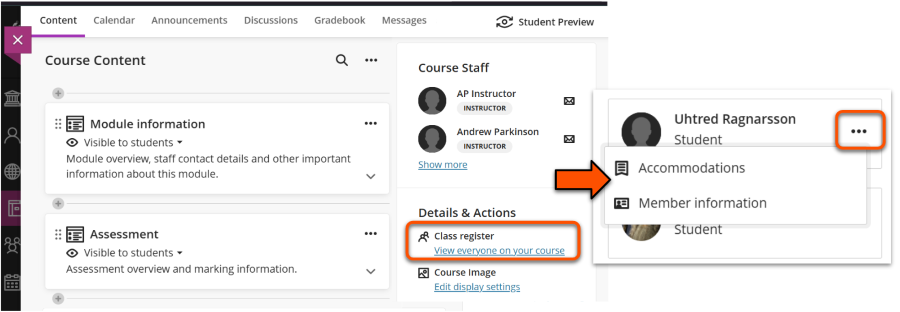
- Via the Class Register: on the main Content page and in the Details & Actions panel, click the Class Register. Locate the relevant student then click the three dots icon and select Accommodations.
To set the relevant time limit extension:
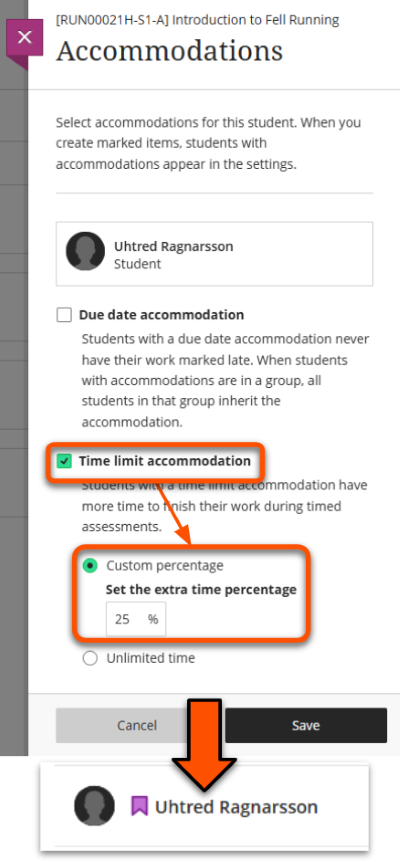
- Tick the Time limit accommodation box.
- On the options that appear, select Custom percentage and enter the relevant extension for that student. This is usually 25% or 50%.
- Click Save, then on the new panel click Add to confirm. Close the Accommodations panel.
- The extension is applied immediately to all timed assessments in the site (including retroactively).
- Students with accommodations set are shown with a purple flag icon wherever their name appears. To edit accommodations once they are set, follow the steps above. Any changes are applied immediately.
Due date
Warning
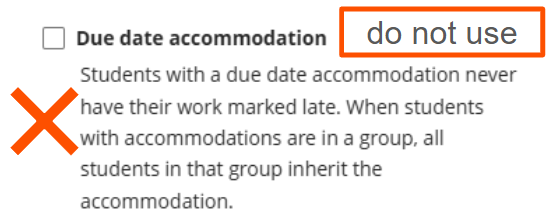
The due date accommodation type is not applicable at UoY.
The due date accommodation means submissions are never marked as late. It does not extend the assessment deadline.
Do not apply this accommodation. There are various methods to manage deadline extensions for SSPs and ECAs etc. Liaise with your departmental assessment administration team to set up the relevant method for your assessment.
Assessment-level accommodations
These are accommodations that apply only to specific assessment items.
You can:
- exempt the student from needing to submit.
- add a personal extension to the main assessment due date.
- provide a personal access window using Access from and/or Access until release conditions.
- limit or extend the number of attempts the student is allowed to make for the assessment.
Set these accommodations via the Gradebook Grid View. Click the relevant cell for that student and assessment to open the Marks detail panel, then click the Accomodations section and enter the settings.
Any course-level accommodations for the student are also shown here, but can't be edited.